
Top 47 in Portable Thermal Printers
PRT
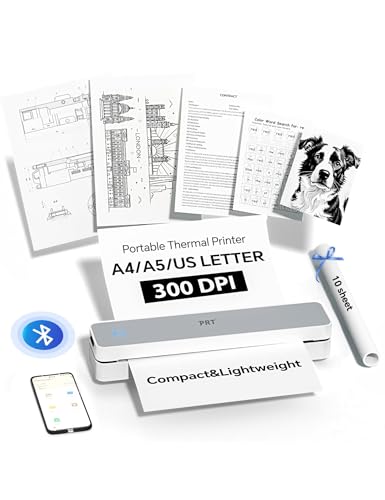
PRT Portable Printer Wireless for Travel, Inkless Bluetooth Small Mobile Thermal Printer, Support 8.5" X 11", A4, Compatible with iOS, Android, Laptop for Home Use, Office & Vehicles, 300 DPI, White
$47.69$52.99
Save $5 (10%)Extra Savings
MCZ87PQWApply this code at checkout for the final price.
As an Amazon Associate I earn from qualifying purchases.
Secure Transaction
Fast Shipping
Deal ends 1/25/2026
Specifications
About this item
- Portable Printer: MT610 Pro is a monochrome, compact portable wireless travel printer that weighs only 1.1 pounds. It is about the weight of 2 mobile phones. You can easily put the Bluetooth printer into your schoolbag and backpack to meet your needs for travel, office, and school. Easily print the your documents or children's homework.
- High-Quality Inkless Wireless Printer via APP Bluetooth: Our Bluetooth thermal printer uses a resolution of 300dpi to print clear documents. At the same time, the mobile printer uses thermal technology. You no longer need to rely on ink cartridges, but only need to use thermal paper, which is more environmentally friendly and saves you more printing costs.
- Strong Compatibility & Wide Printing Range: The portable wireless printer supports a variety of devices, including iPhone/iPad (iOS), Android, Windows, MacBook (macOS). The Bluetooth printer supports a variety of thermal paper sizes, including 8.5"x11" US letter and legal paper, A4 and A5, and 4" wide thermal paper. (Please note: this printer can’t use ordinary paper, only thermal printing paper)
- Easy to Use: The portable thermal printer supports Bluetooth (mobile phone APP) and USB (PC) connections. Connect via Bluetooth on your phone: (1) Download the "HerePrint" application from the App Store. (2) Turn on the inkless portable printer. (3) Turn on the mobile phone Bluetooth and add the MT610 Pro in the application to establish a Bluetooth connection. For USB-C connection on the PC, you need to follow the steps in the manual to install the driver.
- USB Printing on PC & Laptop: (1) Please turn on the printer first (blue light) (2) Use USB to connect to the computer (when charging, the light is green) (3) Download the corresponding PRT MT610 Pro driver (4) Choose "PRT MT610 Pro" to print.


